Describing an everyday object
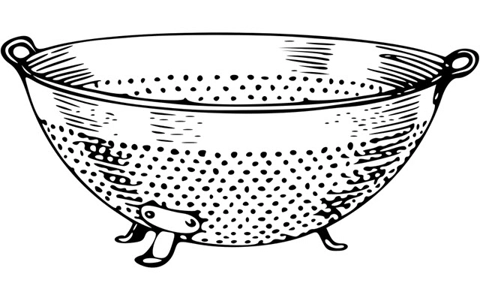
In this lesson, students act like the inventor of an everyday object that does not yet exist. Students abstract the essential details, and describe what need would be fulfilled by the new object and how, specifically, it functions. They will then translate the description into a format appropriate for modeling the object in a computer by representing the data in an organized visual format.
Additional details
| Year band(s) | 5-6, 7-8 |
|---|---|
| Content type | Lesson ideas |
| Format | Web page |
| Core and overarching concepts | Data representation, Computational thinking, Algorithms |
| Australian Curriculum Digital Technologies code(s) |
AC9TDI6P02
Design algorithms involving multiple alternatives (branching) and iteration
AC9TDI8P05
Design algorithms involving nested control structures and represent them using flowcharts and pseudocode
AC9TDI8P06
Trace algorithms to predict output for a given input and to identify errors |
| Keywords | data representation, data, pattern, pattern recognition, abstract, abstraction, object, colander, input, output, Google, Google for Education, Education, computational thinking, GoogleCT |
| Integrated, cross-curriculum, special needs | English |
| Organisation | ESA |
| Copyright | Creative Commons Attribution 4.0, unless otherwise indicated. |
Related resources
-

Crack the code - Technology Mandatory
A unit of work that develops knowledge, skills and understanding of coding
-

Python language
Students develop and implement digital solutions using Python programming language through applying data types and control structures.
-

Emerging technologies
Students follow a problem-solving process to develop an idea for applying emerging technologies to improve existing digital systems.
-

Connected cities student worksheet
Students take on the challenge of positioning mobile towers to maximise coverage across islands while minimising costs.
-

Connected cities teacher guide
This teacher guide provides background for the student challenge of positioning mobile towers.
-

Rubbish robots teacher guide
This teacher guide outlines the task for students to create an algorithm to coordinate the movements of three robots.
-

Rubbish robots student worksheet
Students create an algorithm to coordinate the movements of three robots, optimising their paths.
-

Classroom ideas: Choose your own adventure (Years 3-6)
In Digital Technologies, students from Year 3 onwards should be planning and implementing projects that include branching (decision-making). Creating a ‘choose your own adventure’ story is an excellent way for students to design and implement a project that makes use of branching.