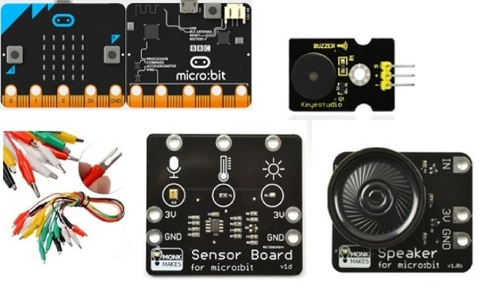
Classroom ideas: Micro:bit Environmental Measurement (visual and general-purpose programming) (Years 5-8)
Investigating environmental data with Micro:bits: This tutorial shows the coding needed for digital solutions of some environmental issues that can be created using pseudocode and visual programming. It can also be created using general-purpose programming.
Additional details
| Year band(s) | 5-6, 7-8 |
|---|---|
| Content type | Lesson ideas |
| Format | Document |
| Core and overarching concepts | Algorithms, Implementation (programming), Specification (decomposing problems), Impact and interactions, Computational thinking |
| Australian Curriculum Digital Technologies code(s) |
AC9TDI6K01
Investigate the main internal components of common digital systems and their function
AC9TDI6K02
Examine how digital systems form networks to transmit data
AC9TDI6P02
Design algorithms involving multiple alternatives (branching) and iteration
AC9TDI6P03
Design a user interface for a digital system
AC9TDI6P05
Implement algorithms as visual programs involving control structures, variables and input
AC9TDI8K02
Investigate how data is transmitted and secured in wired and wireless networks including the internet
AC9TDI8P04
Define and decompose real-world problems with design criteria and by creating user stories
AC9TDI8P09
Implement, modify and debug programs involving control structures and functions in a general-purpose programming language
AC9TDI8P10
Evaluate existing and student solutions against the design criteria, user stories and possible future impact |
| Technologies & Programming Languages | Electronic programming boards |
| Keywords | Data collection, data representation, data interpretation, DTiF, dtif, DTIF, ACARA, microbit, micro:bit, environment, digital solution, general purpose programming, visual programming, programming |
| Integrated, cross-curriculum, special needs | Literacy, Digital Literacy, Numeracy |
| Organisation | Australian Government Department of Education and Training |
| Copyright | Australian Government Department of Education and Training, CC BY 4.0 |
Related resources
-

Crack the code - Technology Mandatory
A unit of work that develops knowledge, skills and understanding of coding
-

Python language
Students develop and implement digital solutions using Python programming language through applying data types and control structures.
-

Emerging technologies
Students follow a problem-solving process to develop an idea for applying emerging technologies to improve existing digital systems.
-

Connected cities student worksheet
Students take on the challenge of positioning mobile towers to maximise coverage across islands while minimising costs.
-

Connected cities teacher guide
This teacher guide provides background for the student challenge of positioning mobile towers.
-

Rubbish robots teacher guide
This teacher guide outlines the task for students to create an algorithm to coordinate the movements of three robots.
-

Rubbish robots student worksheet
Students create an algorithm to coordinate the movements of three robots, optimising their paths.
-

Classroom ideas: Choose your own adventure (Years 3-6)
In Digital Technologies, students from Year 3 onwards should be planning and implementing projects that include branching (decision-making). Creating a ‘choose your own adventure’ story is an excellent way for students to design and implement a project that makes use of branching.