Classroom ideas: Choose your own adventure (Years 3-6)
In Digital Technologies, students from Year 3 onwards should be planning and implementing projects that include branching (decision-making). Creating a ‘choose your own adventure’ story is an excellent way for students to design and implement a project that makes use of branching.
Additional details
| Year band(s) | 3-4, 5-6 |
|---|---|
| Content type | Lesson ideas |
| Format | Document |
| Core and overarching concepts | Algorithms, Implementation (programming), Specification (decomposing problems), Impact and interactions, Computational thinking |
| Australian Curriculum Digital Technologies code(s) |
AC9TDI4P01
Define problems with given design criteria and by co-creating user stories
AC9TDI4P02
Follow and describe algorithms involving sequencing, comparison operators (branching) and iteration
AC9TDI4P03
Generate, communicate and compare designs
AC9TDI4P04
Implement simple algorithms as visual programs involving control structures and input
AC9TDI4P06
Use the core features of common digital tools to create, locate and communicate content, following agreed conventions
AC9TDI4P07
Use the core features of common digital tools to share content, plan tasks, and collaborate, following agreed behaviours, supported by trusted adults
AC9TDI6P02
Design algorithms involving multiple alternatives (branching) and iteration
AC9TDI6P01
Define problems with given or co developed design criteria and by creating user stories
AC9TDI6P03
Design a user interface for a digital system
AC9TDI6P04
Generate, modify, communicate and evaluate designs
AC9TDI6P05
Implement algorithms as visual programs involving control structures, variables and input
AC9TDI6P07
Select and use appropriate digital tools effectively to create, locate and communicate content, applying common conventions
AC9TDI6P08
Select and use appropriate digital tools effectively to share content online, plan tasks and collaborate on projects, demonstrating agreed behaviours |
| Keywords | Data collection, data representation, data interpretation, DTiF, dtif, DTIF, ACARA |
| Integrated, cross-curriculum, special needs | Literacy, Digital Literacy |
| Organisation | Australian Government Department of Education and Training |
| Copyright | Australian Government Department of Education and Training, CC BY 4.0 |
Related resources
-

Connected cities student worksheet
Students take on the challenge of positioning mobile towers to maximise coverage across islands while minimising costs.
-

Connected cities teacher guide
This teacher guide provides background for the student challenge of positioning mobile towers.
-

Rubbish robots teacher guide
This teacher guide outlines the task for students to create an algorithm to coordinate the movements of three robots.
-

Rubbish robots student worksheet
Students create an algorithm to coordinate the movements of three robots, optimising their paths.
-

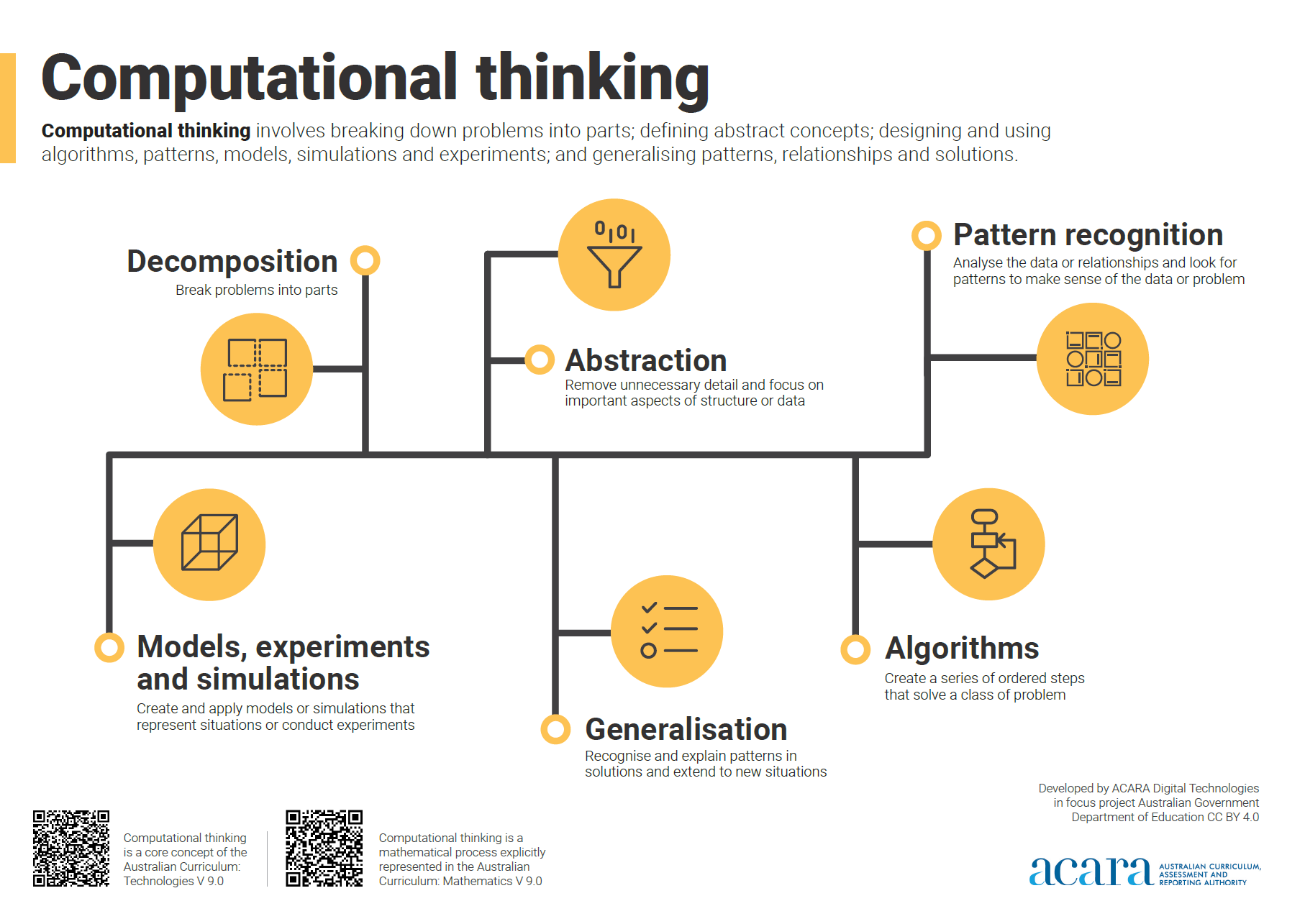
Computational thinking poster
A poster/infographic that gives a brief overview of the concepts related to computational thinking.
-

Understanding digital systems (Years 3-4)
Simple ideas for learning about digital systems in the classroom.
-

Classroom ideas: Micro:bit Environmental Measurement (visual and general-purpose programming) (Years 5-8)
Investigating environmental data with Micro:bits: This tutorial shows the coding needed for digital solutions of some environmental issues that can be created using pseudocode and visual programming.