Weather watchers
In this unit, students are introduced to programming and data in Scratch. They will explore how programs are a set of instructions that computers follow to complete a task. Later in the unit, students will compare different types of weather data and modify a program to include variables.
Additional details
| Year band(s) | 5-6 |
|---|---|
| Content type | Course or tutorial, Lesson ideas |
| Format | Web page |
| Core and overarching concepts | Implementation (programming), Computational thinking |
| Australian Curriculum Digital Technologies code(s) |
AC9TDI6P05
Implement algorithms as visual programs involving control structures, variables and input |
| Technologies & Programming Languages | Scratch |
| Keywords | visual programming language, variables, branching |
| Integrated, cross-curriculum, special needs | Digital Literacy, HASS |
| Organisation | Raspberry Pi Foundation |
| Copyright | © Raspberry Pi Foundation. May be subject to statutory licence fee. |
Related resources
-

Connected cities student worksheet
Students take on the challenge of positioning mobile towers to maximise coverage across islands while minimising costs.
-

Connected cities teacher guide
This teacher guide provides background for the student challenge of positioning mobile towers.
-

Rubbish robots teacher guide
This teacher guide outlines the task for students to create an algorithm to coordinate the movements of three robots.
-

Rubbish robots student worksheet
Students create an algorithm to coordinate the movements of three robots, optimising their paths.
-

Classroom ideas: Choose your own adventure (Years 3-6)
In Digital Technologies, students from Year 3 onwards should be planning and implementing projects that include branching (decision-making). Creating a ‘choose your own adventure’ story is an excellent way for students to design and implement a project that makes use of branching.
-

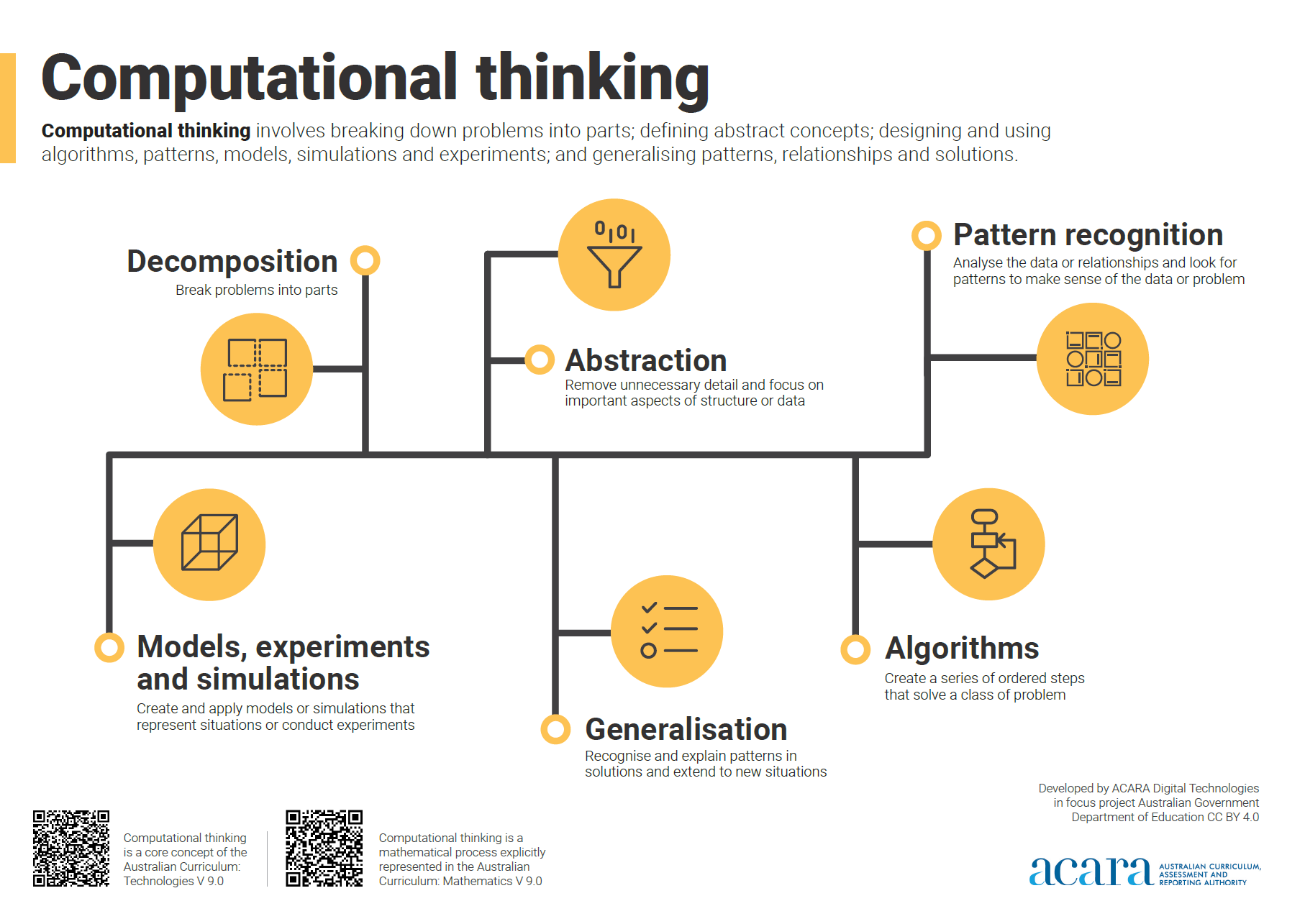
Computational thinking poster
A poster/infographic that gives a brief overview of the concepts related to computational thinking.
-

Classroom ideas: Micro:bit Environmental Measurement (visual and general-purpose programming) (Years 5-8)
Investigating environmental data with Micro:bits: This tutorial shows the coding needed for digital solutions of some environmental issues that can be created using pseudocode and visual programming.
-

DIY micro:bit metal detector (Years 5-6)
This activity shows one way to incorporate Digital Technologies into a goldfields unit in an authentic way using a micro:bit.