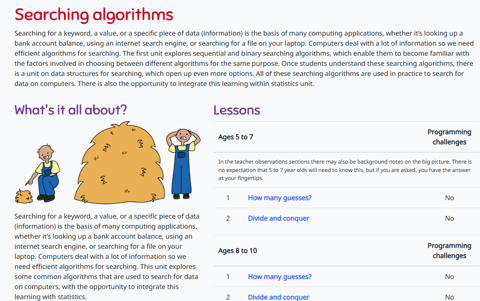
CS Unplugged: Searching Algorithms
Use the activity with your students to explore how computers are often required to find information in large collections of data. To do this the computer needs quick and efficient ways of doing this. This activity demonstrates three different search methods: linear searching, binary searching and hashing. Support your teaching and learning with the video clips and other related resources.
Additional details
| Year band(s) | 3-4, 5-6 |
|---|---|
| Format | Web page |
| Australian Curriculum Digital Technologies code(s) |
AC9TDI8K03
Investigate how digital systems represent text, image and audio data using integers
AC9TDI10K03
Investigate simple data compression techniques
AC9TDI10P10
Evaluate existing and student solutions against the design criteria, user stories, possible future impact and opportunities for enterprise
AC9TDI10P11
Select and use emerging digital tools and advanced features to create and communicate interactive content for a diverse audience
AC9TDI8P10
Evaluate existing and student solutions against the design criteria, user stories and possible future impact |
| Keywords | Algorithms, Linear searching, Binary searching, Hashing |
| Integrated, cross-curriculum, special needs | Mathematics |
| Organisation | University of Canterbury, NZ http://www.canterbury.ac.nz/ |
| Copyright | Creative Commons BY-NC-SA 4.0 |
Related resources
-

Making games
In this sequence, students design, create and refine a 2D game in Scratch that incorporates 4-way directional movement, obstacles, rewards and broadcasts.
-

Digital footprint
In this sequence, students analyse digital footprints, data collection and online safety by exploring how personal information is created, stored and used in digital systems.
-

Networks
In this sequence, students explore the components and functions of networks, examine how data is transmitted, identify risks and evaluate security measures.
-

Design a user interface
Students design a simple user interface, create a prototype in Google Slides, and evaluate how their design meets user needs and requirements.
-

Organising data
In this sequence, students identify, match, group and create pictures, symbols, numbers and words to show the same data in different ways.
-

Teaching London Computing
Find activities for learning about Computer Science in fun ways on this site based on our underpinning Computer Science Education research.
-

Jack Changes the Game, Teacher's toolkit, Years1-3 (ages 5-8)
These lessons aim to prepare students with the knowledge and critical thinking skills to establish basic online safety.
-

Jack Changes the Game, Student activity pack, Years1-3 (ages 5-8)
Students record their knowledge and use critical thinking skills as they develop basic online safety.