Cross age making a robot
This lesson sequence is a cross-age project that can be used for students in year 5/6 in collaboration with students from years 1-2. In this project, students collaborate on a code for an unplugged robot. They design, test and modify the robot and create instruction manuals.
Additional details
| Year band(s) | 1-2, 5-6 |
|---|---|
| Content type | Lesson ideas |
| Format | Web page |
| Core and overarching concepts | Specification (decomposing problems), Computational thinking, Implementation (programming) |
| Technologies & Programming Languages | Robotics and drones |
| Keywords | Cross age, Robots, Unplugged, Programming, Instructions, Design, Think like an inventor |
| Organisation | ESA |
| Copyright | Creative Commons Attribution 4.0, unless otherwise indicated. |
Related resources
-

Connected cities student worksheet
Students take on the challenge of positioning mobile towers to maximise coverage across islands while minimising costs.
-

Connected cities teacher guide
This teacher guide provides background for the student challenge of positioning mobile towers.
-

Rubbish robots teacher guide
This teacher guide outlines the task for students to create an algorithm to coordinate the movements of three robots.
-

Rubbish robots student worksheet
Students create an algorithm to coordinate the movements of three robots, optimising their paths.
-

Computational thinking in practice F-2 (Parent and teacher activity cards)
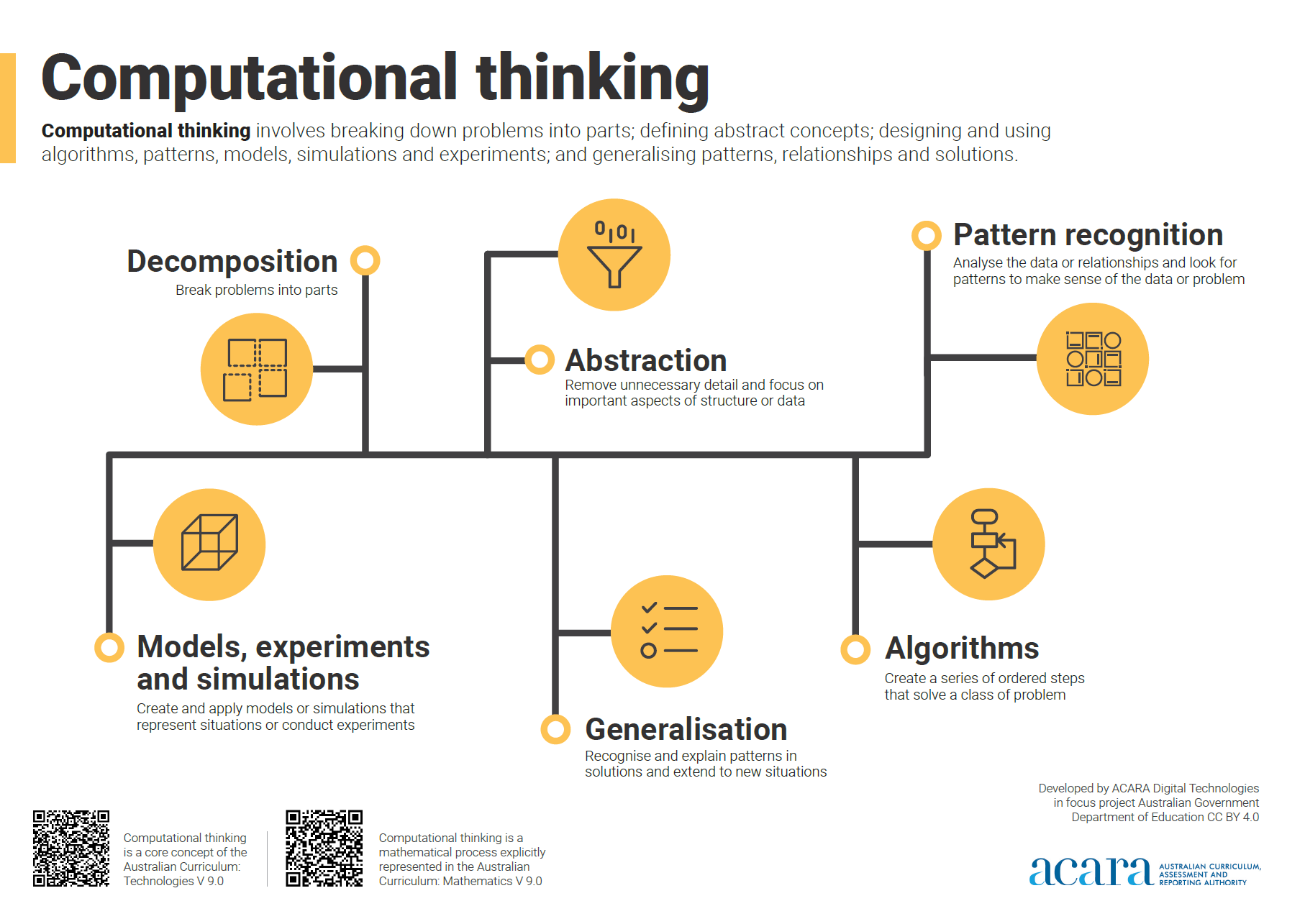
A set of printable cards that give simple activity ideas for parents and teachers on each of the six aspects of computational thinking.
-

Classroom ideas: Choose your own adventure (Years 3-6)
In Digital Technologies, students from Year 3 onwards should be planning and implementing projects that include branching (decision-making). Creating a ‘choose your own adventure’ story is an excellent way for students to design and implement a project that makes use of branching.
-

What is a digital system and how do digital systems help us? (Years F-2)
Digital systems are all around us. Providing students with opportunities to understand what digital systems are and how people use them for different purposes is very important in the early years of schooling.
-

Computational thinking poster
A poster/infographic that gives a brief overview of the concepts related to computational thinking.