Digital citizenship
This resource helps Digital Technologies teachers understand how digital citizenship, a key concept within the general capability of Digital Literacy, supports and aligns with their Digital Technologies teaching from Foundation to Year 10.
What you'll find
- Clear explanations of core online safety and digital citizenship ideas
- Ideas supporting progressive development of digital citizenship ideas
- Practical classroom activities
- Resources to help in planning and assessment
Digital citizenship by year band
| Year band | Students learn to |
|---|---|
| Foundation | Explore digital systems through play, and learn what personal information is safe to share and what to keep private. |
| 1 - 2 | Behave safely online, recognise when they need help, understand basic emotions and safety cues, and practise respectful behaviour in digital spaces including recognising ownership of digital work. |
| 3 - 4 | Communicate respectfully online, use safe privacy practices, understand permission and boundaries when sharing information, begin recognising trusted people and content, and acknowledge others’ work. |
| 5 - 6 | Respect others’ rights, value diverse voices, understand online identities and digital footprints, use privacy strategies, respond safely to inappropriate requests, and recognise how media can influence people and perspectives, including simple copyright and referencing practices. |
| 7 - 8 | Interact safely and respectfully online, understand social and cultural contexts, recognise how data and digital systems collect and influence information and experiences, reuse digital content responsibly, and evaluate content for bias, purpose and reliability. |
| 9 - 10 | Explore how online interactions shape identity and participation, and how data, security and system design affect access, privacy and ownership, including how media platforms and algorithms influence what they see and share, and the legal and ethical use of digital content. |
What is digital citizenship?
Digital citizenship is a broad area that fits within the general capability of Digital Literacy. It focuses on how students participate in online environments: behaving and communicating respectfully, making informed choices, managing privacy and identity, recognising trustworthy content, respecting others’ digital work, and understanding how digital media, data and systems shape what they see and do.
A simpler explanation can help …
It’s about learning to be safe, respectful and thoughtful online. It includes knowing how to protect yourself and others, and recognising how digital content, media and interactions shape what you see, think and do.
Why is it relevant?
Digital citizenship is essential because students use digital systems everywhere, for example, at school, at home and in their communities, for learning, communication, entertainment and everyday tasks.
These interactions bring great opportunities, but also potential risks. Learning these skills helps students stay safe and make informed choices, understand privacy and identity, communicate respectfully, recognise how digital media influences their thinking, navigate online interactions responsibly, and understand how data and systems shape their experiences.
Connections to online safety
Digital citizenship and digital media literacy, one of the 5 key aspects of online safety, supports students to recognise risks, seek help and make safe, responsible choices in digital spaces.
Connections to Digital Technologies
In this topic of digital citizenship, students develop their digital literacy by learning to use digital spaces safely and respectfully, protect privacy, manage their digital identity, and think critically about what they see and share online.
Technical aspects of protecting data, such as passwords, authentication, cybersecurity threats and system vulnerabilities, are addressed explicitly in the privacy and security core concept of the Digital Technologies curriculum. Digital citizenship complements this learning by helping students understand why responsible choices matter, not just how systems use and protect information.
Key terms in the curriculum
| Privacy | Protecting personal information and knowing what is safe to share |
|---|---|
| Respectful communication | Interacting safely and kindly with others using agreed social protocols |
| Informed and safe choices | Making good decisions when using digital media |
| Trustworthy people and reliable sources | Knowing who and what to trust online |
| Bias, norms and stereotypes | Understanding how media can influence thinking |
| Respect intellectual property | Acknowledging who created digital content and using or sharing it in fair and legal ways |
| Digital identity | Understanding how your online profile and username represent you and contribute to your digital footprint |
| Permanence of data | Understanding that online information can last |
What this looks like in practice
| Privacy | Using an avatar and not sharing your full name when joining an online game |
|---|---|
| Respectful communication | Using agreed class language when collaborating online |
| Informed and safe choices | Pausing before clicking a link or downloading something, checking whether it looks trustworthy, and choosing the safer option if unsure |
| Trustworthy people and reliable sources | Checking who created a website and when it was published to decide whether the information is accurate and up to date |
| Bias, norms and stereotypes | Recognising when an online article or AI-generated content presents a narrow idea of what people ‘should’ look like or do, and noticing the stereotype it reinforces |
| Respect intellectual property | Gathering images and facts for a slide deck, then checking which content they can use and adding a simple acknowledgement for the creator Discussing why copying without credit is unfair and how referencing helps respect other people’s work |
| Digital identity | Choosing a username and profile image that are appropriate for the setting and checking what your profile shows before joining a game or class platform |
| Permanence of data | Understanding that a photo shared with a friend can be saved or forwarded again and again, making it difficult or impossible to remove once it’s online |
What to teach?
Digital citizenship is introduced early, from Foundation, and builds in complexity right through to Year 10.
In this section, digital citizenship advice draws on the Digital Literacy elements:
- Practising digital safety and wellbeing - Manage online safety, Manage digital privacy and identity, Manage digital wellbeing
- Creating and exchanging - Respect intellectual property
Here’s how the concept develops across year bands:
Digital citizenship in Foundation
Expectation for this band
Students can:
- use online tools that are safe or only under direct supervision, seeking help from trusted adults when feeling unsafe
- recognise their personal data and that data (including text, images, and video) can be seen by others when shared online
- follow adult directions for the use of digital tools at school and home.
The focus is on play-based exploration of digital systems, learning what personal information is safe to share (and what to keep private), and identifying trusted adults who can help.
What this looks like in practice
Students practise digital citizenship through guided routines such as:
- talking about online behaviour using a poster with prompts (safe, respectful choices and what to do if something feels unsafe)
- identifying personal information (for example, full name, address, school, photos) and learning what is safe to share
- using only teacher-selected digital tools (for example, a class app or website chosen by the teacher) and following directions for how to use it safely
- recognising that text, images and video shared online can be seen by other people
- pausing, thinking and acting, such as getting help if something feels confusing or unsafe (for example, a pop-up, a message, or unexpected content).
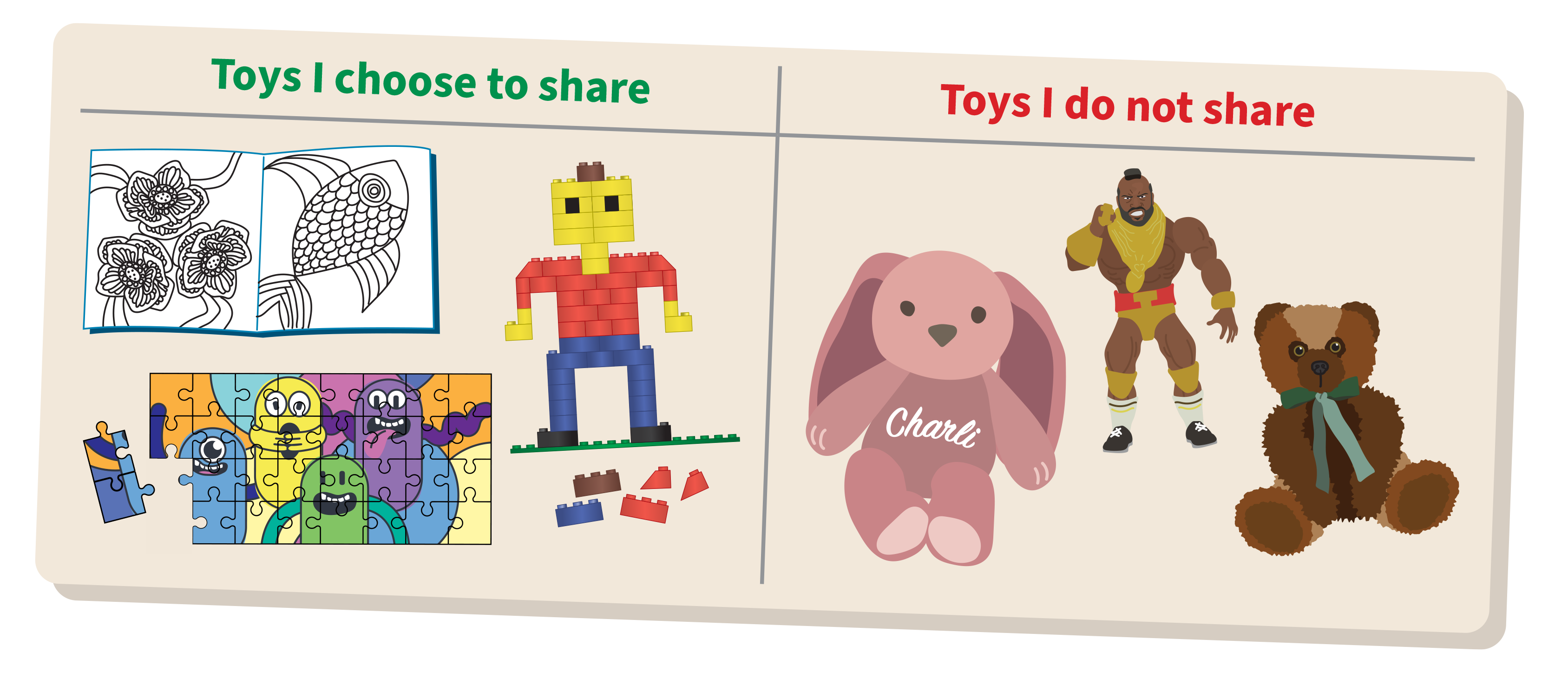
By the end of this lesson students will be able to identify information that belongs to them and learn what is safe to share.
Retrieval: Ask, 'Think about your toys. Which ones would you share? Which ones would you not share?'
Discuss: Why might you share a toy? Why might you choose not to share a toy?
Draw out key ideas: For sharing, students may say it is kind, they don’t have a toy, or they are playing together. For not sharing, students may say they don’t know or trust the person, the toy is special, it could be damaged, it might not be returned, or a part could get lost. Explain that sometimes we share, and sometimes we don’t, especially when there is risk or when we don’t know the person.
Relate to online behaviours: Just like with toys, we don’t share everything with everyone. Personal information (for example, full name, address, school or photos) should be kept private. If you’re not sure, ask a trusted adult.
Introduce a simple 'Pause, Think, Act' decision routine:
- Pause – Don’t react immediately.
- Think – Is this safe? How does it make me feel?
- Act – Block, report, or get help.
Task: As a class, co-construct a two-column table: Share / Keep private.
- Prompt students with examples of information such as favourite colour, full name or photo.
- Lead a discussion asking students to explain why they would share or keep it private.
- Record responses in the table, so students can see reasoning and patterns.
Safety routine: Students practise ‘Pause, Think, Act’ whenever they see something online they are unsure about, at school or home.
Evidence of learning
You might notice that students:
- identify examples of personal information, for example, name, address, school, photos, and explain that it should be kept private
- use class routines to decide what is safe to do online, for example, using only teacher-selected tools and asking before clicking something new
- recognise when something online feels confusing or unsafe and seek help from a trusted adult
- explain why some information is safe to share and why some is private.
If students can explain what information is private and use help-seeking routines, they are developing early digital safety and wellbeing skills.
Common misconceptions or errors to watch for
- Thinking that sharing is always good, leading to oversharing personal information
- Not recognising that photos, videos or usernames can be seen by others once shared online
- Continuing to click through pop-ups or messages instead of stopping and asking for help
- Not following adult directions about which tools to use and when supervision is needed.
Address these explicitly through modelling, guided practice and repeated routines.
| Processes and production skills Privacy and security |
|---|
Identify some data that is personal and owned by them (AC9TDIFP01)
|
| Knowledge and understanding Digital systems |
|---|
Recognise and explore digital systems (hardware and software) for a purpose (AC9TDIFK01)
|
Digital citizenship in Years 1-2
Expectation for this band
Students can:
- use online tools that are age appropriate or only under supervision, seeking help from trusted adults when feeling unsafe
- recognise that online tools (website and apps) store their personal data, which may give an impression of them
- recognise ownership of digital work
- follow agreed rules for the healthy use of digital tools and apply them at school and home.
The focus is on practising safe and respectful online behaviour, recognising safety cues (including emotions) and when help is needed, and understanding that apps and websites store personal information that can shape others’ impressions.
What this looks like in practice
Students practise digital citizenship through guided routines such as:
- co-constructing and referring to simple class agreements for online spaces
- sorting information into ‘safe to share’ and ‘keep private’
- using only teacher-selected tools and logging in safely with support
- recognising that in creating a digital product as a team the ownership belongs to students in that group
- identifying safety cues in digital spaces and using a consistent routine such as ‘Pause, Think, Act’
- practising healthy-use habits at school and home following class/ family screen-time agreements.
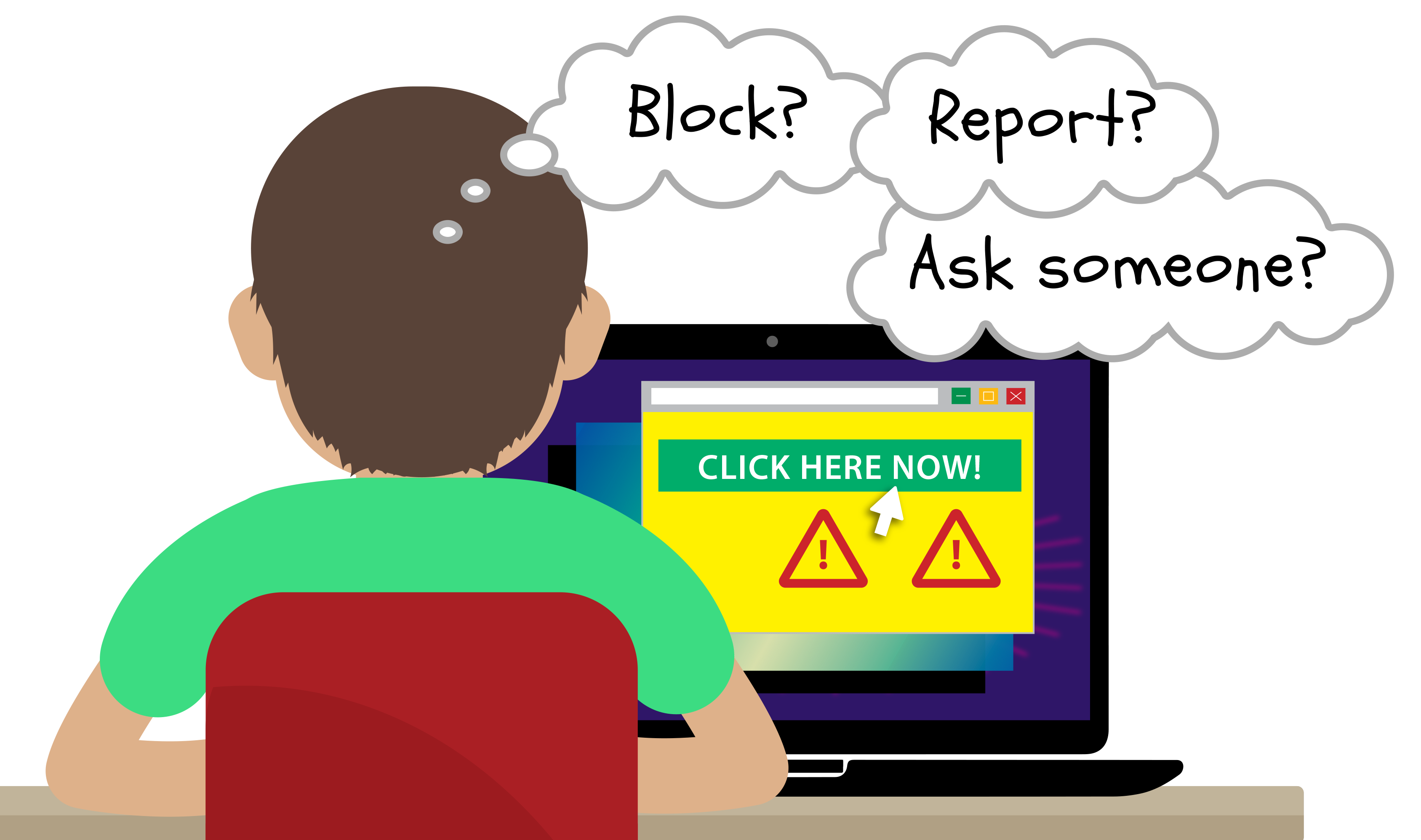
By the end of this lesson students will be able to recognise safe and unsafe online situations, noticing body clues, and practise protective behaviours.
Retrieval: If you are online and doesn't feel safe, what should you do?
Set the scene: Explain that when we use devices, we sometimes need to make quick, safe choices. Introduce a simple 'Pause, Think, Act' decision routine:
- Pause – Don’t react immediately.
- Think – Is this safe? How does it make me feel?
- Act – Block, report, or get help
Discuss: Ask students: What does it feel like in your body when something is not okay (for example, tummy feels tight, heart beats fast, you feel confused, you want to hide the screen)? What does it feel like when something is okay? Reinforce: different people have different clues, and you can always ask for help.
Task (role-play): As a whole class activity, select students to act out short ‘online moments’ using a cardboard device (or a turned-off tablet/laptop as a prop). One student is the ‘User’, and one is the ‘Device’.
- The Device reads a prompt.
- The User says what they notice (My body clue is…/This feels…) and chooses an action: Pause, Think, Act.
- As a class discuss the action suggested.
Prompt cards: Choose prompts that fit your class context.
- A game says: ‘Type your full name to get a prize.’
- A pop-up says: ‘Click here now!’ and covers the screen.
- Someone you don’t know sends a message: ‘Send me your photo.’
- A class app asks you to choose a username, but you want to use your real name.
- You watch a video and after it ends a next video starts but it makes you feel upset.
- A classmate says: ‘Let’s post our class work on our school sharing platform’
Safety routine: Practise ‘Pause, Think, Act,’ as a quick rehearsal (whole class) at the end of the lesson, and remind students they can use it at school or home.
Evidence of learning
You might notice that students:
- provide input into and use class agreements for online spaces
- sort information into safe to share / keep private and explain why
- use teacher-selected tools and follow supported log-in routines
- identify safety cues/body clues and use Pause, Think, Act
- practise healthy-use habits aligned to class/family screen-time agreements.
If students can follow class agreements, explain what is safe to share and what to keep private, and use the routine ‘Pause, Think, Act’, they are developing digital safety, wellbeing and respectful online participation skills.
Common misconceptions or errors to watch for
- Assuming a ‘friendly’ message or reward means it’s safe
- Thinking it is okay to sometimes share personal info online
- Using a click first, ask later approach instead of stopping and asking for help
- Ignoring healthy-use guidance and using apps without permission.
Address these explicitly through modelling, guided practice and repeated routines.
| Processes and production skills Privacy and security |
|---|
Discuss that some websites and apps store their personal data online (AC9TDI2P07)
Access their school account with a recorded username and password (AC9TDI2P06)
|
| Processes and production skills Collaborating and managing |
|---|
Use the basic features of common digital tools to share content and collaborate demonstrating agreed behaviours, guided by trusted adults (AC9TDI2P05)
|
Digital citizenship in Years 3-4
Expectation for this band
Students can:
- report negative or harmful online behaviour by seeking help from trusted adults
- identify their digital footprint (personal data stored by online tools)
- recognise their digital identity represents them online and can give a negative impression
- use appropriate strategies to acknowledge others’ work
- give and seek consent before sharing online with peers and trusted adults
- follow an agreed code of conduct for the healthy use of digital tools.
The focus shifts from guided routines in Years 1–2 to more independent and reflective digital citizenship. Students understand that online tools store personal data (digital footprint) and that their choices create a digital identity. They practise getting consent before sharing, reporting harmful behaviour, and following a class code of conduct.
What this looks like in practice
Students practise digital citizenship through routines such as:
- using a class code of conduct for online collaboration
- checking ‘Do I have consent?’ before posting or forwarding photos, names or work
- identifying a digital footprint by naming what online tools ‘remember’ from their use
- indicating the source of images used in a digital product, ensuring fair use
- reviewing a profile or shared post and discussing how it might represent someone (digital identity) and the impression it gives
- roleplaying help-seeking and reporting steps when something is harmful
- following healthy-use agreements.

By the end of this lesson students will be able to explain that what we do online can leave a digital footprint and practise safe choices about what to click and share.
Retrieval: When you search, watch videos or play games online, what information do you think is recorded?
Learning hook: Use the analogy of footprints left in the sand on the beach to talk about the trace they leave behind. Connect the idea that online, we also leave ‘footprints’, for example, searches, clicks, videos watched, usernames and comments; some are helpful, and some can affect privacy and reputation.
Task: Co-construct a two-column chart: Helpful footprints / Footprints to be careful of. Read a scenario, then students place it in a column and explain why.
- Saving a favourite learning site (bookmark/favourites)
- A game remembers your level or settings
- Typing your full name, school, or address into a website
- Posting a photo or comment that others can save or share
- Creating an online account without checking with a trusted adult.
Evidence of learning
You might notice that students:
- identify examples of their digital footprint (for example, usernames, searches, likes, game progress or posts) and explain that online tools can store personal data
- describe how choices online contribute to a digital identity and the impression it can give others
- give and seek consent before sharing photos, names, or work that involves others
- check whether images can be used in their digital product and acknowledge the source
- recognise negative or harmful online behaviour and report it by seeking help from a trusted adult
- follow an agreed class code of conduct for respectful and healthy use of digital tools.
If students can explain what a digital footprint is, apply consent before sharing, and use trusted-adult reporting routines, they are developing safe and responsible digital citizenship.
Common misconceptions or errors to watch for
- Thinking ‘delete’ means it is gone forever, and not recognising that some data can remain
- Not recognising that small details (usernames, school name on a uniform, location clues in photos) can also be personal information
- Assuming sharing is okay if it is with friends, and forgetting to get consent from the person involved
- Believing online behaviour is ‘not real’ and not linking comments/posts to reputation and digital identity
- Believing that if an image is available online, it is free to use
- Trying to handle harmful behaviour alone (replying, arguing, or keeping it secret) instead of reporting to a trusted adult
- Following class agreements inconsistently.
Address these explicitly through modelling, guided practice, and repeated routines (including consent checks and help-seeking steps).
| Processes and production skills Privacy and security |
|---|
Identify what personal data is stored and shared in their online accounts and discuss any associated risks (AC9TDI4P09)
|
| Knowledge and understanding Collaborating and managing |
|---|
Use the core features of common digital tools to share content, plan tasks, and collaborate, following agreed behaviours, supported by trusted adults (AC9TDI4P07)
|
Digital citizenship in Years 5-6
Expectation for this band
Students can:
- report negative or harmful online behaviour to trusted adults and know how to report it in online tools
- recognise when to step away from negative online social interactions
- recognise the permanence of their digital footprint and digital identity, and the associated risks, including to their reputation
- use simple copyright and referencing practices
- give and seek consent before sharing online in trusted groups
- recognise the permanence of their digital footprint and digital identity, and the associated risks, including to their reputation
- give and seek consent before sharing online in trusted groups.
The content builds on from Years 3–4 by deepening students’ understanding of permanent digital footprints and online identity, strengthening consent before sharing in trusted groups, and practising how to report harmful behaviour within online tools and when to step away from negative interactions.
What this looks like in practice
Students practise digital citizenship through routines such as:
- using a class code of conduct and checking group settings before posting or commenting
- doing a quick ‘pause check’ before sharing: Who will see this? Do I have consent? What does it show about me or others?
- naming how a digital footprint can be permanent (others screenshot or forward your message) and describing how it can affect reputation
- referencing images and the sources of data and quotes used as evidence to support a point of view when creating an infographic
- practising how to report harmful behaviour in the platform, for example, block/mute, report, save evidence and then telling a trusted adult
- rehearsing ‘step away’ strategies for negative interactions (stop replying, close the app, take a break, get help)
- following healthy-use agreements (breaks, balanced screen time, and purposeful use).
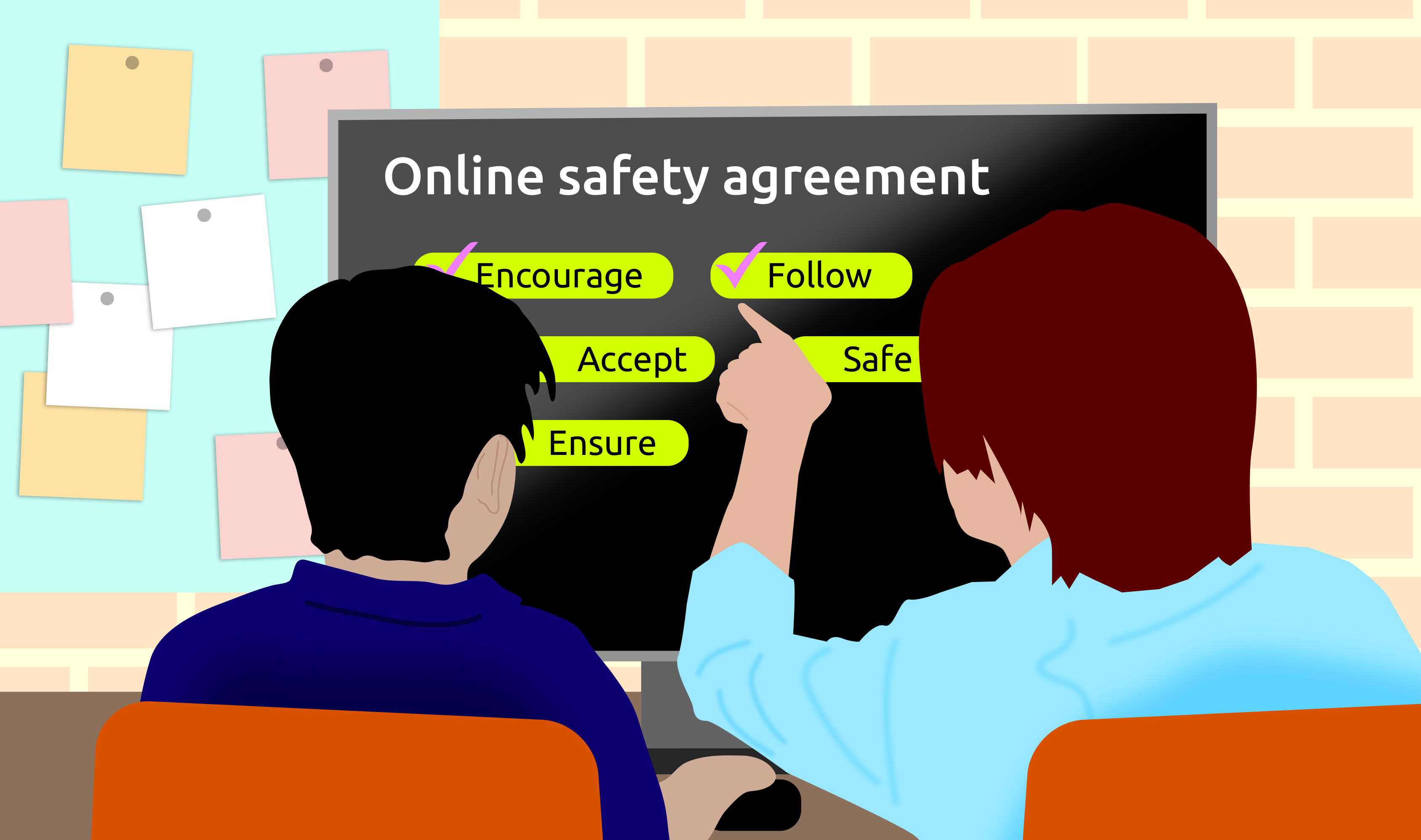
By the end of this lesson students will be able to co-construct and use a simple online safety agreement so students know how to work, interact and keep each other safe online.
Retrieval: What rules would help you stay safe and respectful online?
Learning hook: Explain that digital tools are used in every learning area, so the class needs shared expectations for being safe and respectful online. If you prefer, show a sample agreement template(PDF) (opens in a new window) to introduce, using the five headings Encourage, Safe, Accept, Follow and Ensure.
Discuss: What helps online activities feel safe? What can go wrong online? What should we do if we feel unsure? Keep the discussion general and avoid personal stories.
Task: Co-write one class sentence for each heading: Encourage, Safe, Accept, Follow and Ensure. Quick role-play: Read a scenario; students point to the heading that helps most and explain why. If an issue arises: Practise the class steps (support, report calmly, follow procedures).
Safety routine: Revisit the agreement briefly after digital lessons: What went well? What do we need to practise? How does it ensure we are safe, supportive and inclusive?
Evidence of learning
You might notice that students:
- identify examples of their digital footprint and explain how online actions can be permanent
- describe how digital behaviour can affect reputation, relationships, and how others perceive them
- give and seek consent before sharing content that involves others, including in group chats or collaborative spaces
- recognise negative or harmful online behaviour, for example, exclusion, unkind comments, pressure to share and report it using trusted adult routines or platform tools
- considering how best to provide source details of images used in their digital product
- explain when it is appropriate to step away from unhealthy online interactions and demonstrate strategies for doing so
- apply class or school expectations for respectful, safe and responsible online participation across learning tasks.
Students that can explain the risks of a permanent digital footprint, apply consent before sharing, and use reporting and help seeking strategies, are demonstrating developing digital citizenship in Years 5–6.
Common misconceptions or errors to watch for
- Believing their digital footprint disappears when they close a tab, delete a post or clear history
- Thinking only public posts contribute to their digital identity, not searches, comments, likes or shared group chat content
- Underestimating how online behaviour can affect reputation, assuming only adults or famous people need to worry about it
- Thinking consent only applies to photos, not names, usernames, group chat screenshots or collaborative work
- Referencing some images or only completing referencing the source when prompted
- Believing reporting tools are only for ‘big problems’ and not for repeated unkindness, exclusion or pressure to share
- Avoiding reporting because they fear getting someone ‘in trouble’ rather than understanding it as a safety action
- Thinking stepping away from negative interactions means ‘losing’ or ‘giving up’ rather than protecting wellbeing.
Address these explicitly during modelling, testing, and refinement.
| Processes and production skills Privacy and security |
|---|
Explain the creation and permanence of their digital footprint and consider privacy when collecting user data (AC9TDI6P10)
|
| Knowledge and understanding Collaborating and managing |
|---|
Select and use appropriate digital tools effectively to share content online, plan tasks and collaborate on projects, demonstrating agreed behaviours (AC9TDI6P08)
|
Digital citizenship in Years 7-8
Expectation for this band
Students can:
- identify online abuse and bullying and report them to trusted adults, appropriate authorities and in online tools
- stop engaging in negative online social interactions
- recognise their digital footprint is valuable, used by online tools for targeting, and that data shared online is no longer under their control
- reuse digital content created by others responsibly and apply referencing conventions
- consider who they trust with their data and review privacy policies before giving consent, and seek consent before sharing online
- develop routines to support their balanced and constructive use of digital tools
- identify indicators of unhealthy usage.
The focus shifts from understanding digital footprints and consent in Years 5–6, to now analysing how data is used by online tools, making informed decisions about privacy, responding to online abuse, and developing independent routines for balanced and healthy digital participation.
Key term in the curriculum
| Privacy Polices | Information about how online tools collect, use and share data, and using this information to make informed decisions about consent. |
|---|
What this looks like in practice
| Privacy policies A privacy policy tells you what data an app collects, how it uses it, who it shares it with, and what choices you have. It is usually found when you sign up, in app settings, or via a ‘Privacy’ or ‘Legal’ link on the website. |
Example: When you sign in to an app such as Canva for Education, the privacy policy explains what data the tool collects and how it uses it. |
|---|
What this looks like in practice
When focusing on digital citizenship, students:
- explain how their digital footprint is used by platforms for targeting, recommendations or advertising
- recognise that once data is shared online, it can be copied, stored or forwarded beyond their control
- review privacy settings or policies before giving consent and explain who they trust with their data and why
- seek consent before sharing content involving others, including in group chats, collaborative spaces or social media
- identify examples of online abuse or bullying (for example, repeated exclusion, impersonation, threatening messages, harmful comments) and explain how to report them using platform tools and trusted adult routines
- identify correct and incorrect use of information and media sources, and apply basic referencing practices to respect intellectual property (for example, acknowledging sources, paraphrasing ideas and crediting images)
- identify signs of unhealthy digital use (for example, disrupted sleep, compulsive checking, mood changes, difficulty stopping) and describe routines that support balanced use
- apply agreed class or school expectations for constructive, respectful and safe participation in online environments.
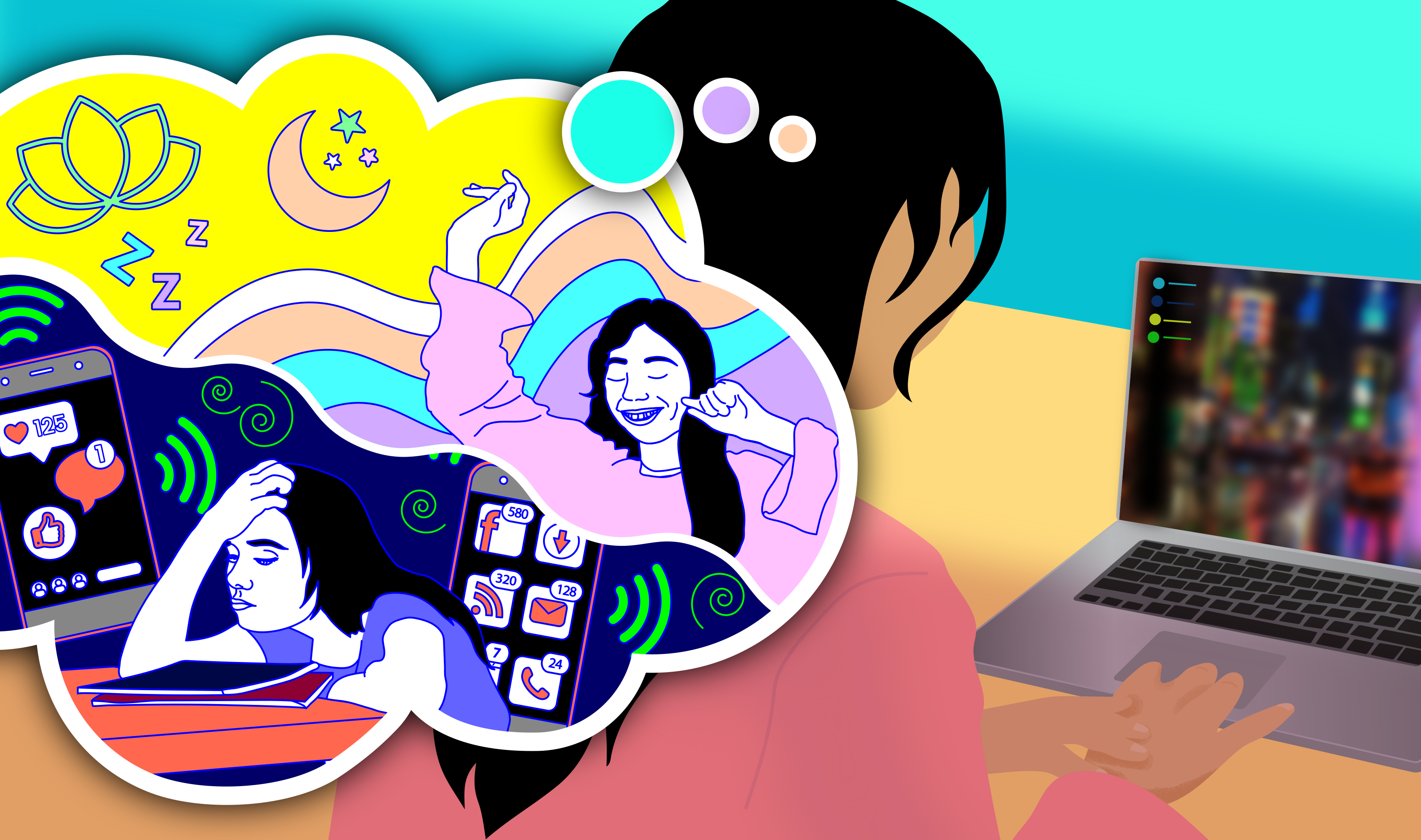
By the end of this lesson students will be able to recognise signs of unhealthy digital use and practising routines that support balance and wellbeing.
Retrieval: What problems can constant notifications cause when you are trying to focus, relax or sleep?
Learning hook: Explain that digital tools are designed to keep us engaged, and sometimes this leads to habits that affect sleep, mood or concentration. Students learn to recognise early signs of unhealthy use and practise strategies to reset.
Discuss: Ask students:
- What signs tell you your tech use is becoming unhelpful, for example, trouble sleeping, compulsive checking, feeling stressed when you can’t look, losing track of time
- What routines help you stay balanced, for example, device free time before bed, turning off notifications, using ‘Do not disturb’, setting time limits, planning offline breaks?
Reinforce that balance looks different for everyone, and small changes can make a big difference.
Task: Give students a set of short scenario cards. In pairs, they sort each one into ‘Healthy use’ or ‘Unhealthy use’, then suggest one routine that could help.
Scenario cards (examples):
- You stay up late scrolling and feel tired the next morning.
- You check your device every few minutes even when nothing new has happened.
- You feel anxious when you can’t reply instantly in a group chat.
- You stop when your timer goes off and switch to homework.
- You turn off notifications during class so you can focus.
Reflection: Ask: ‘What’s one small routine you could try this week to keep your tech use balanced?’
Evidence of learning
You might notice that students:
- explain how their digital footprint is created and used for targeting, recommendations or advertising
- describe how data shared online can be copied, stored or forwarded beyond their control
- review privacy settings or policies before giving consent and explain who they trust with their data and why
- seek consent before sharing content involving others in group chats, collaborative spaces or class platforms
- check copyright on images before using them in their digital product
- identify examples of online abuse or bullying and explain how to report them using platform tools and trusted‑adult routines
- recognise signs of unhealthy digital use and describe routines that support balanced, safe participation online.
If students can explain how their data is used, apply consent routines, recognise online abuse, and use reporting and privacy tools appropriately, they are developing safe and responsible digital citizenship in Years 7–8.
Common misconceptions or errors to watch for
- Assuming only visible posts or photos create a digital footprint, and do not recognise that searches, views, likes, watch history, location data and browsing activity are also collected automatically
- Believing that deleting content removes it entirely, and do not account for screenshots, forwarding, backups, platform storage, or cached copies that keep data accessible beyond their control
- Assuming privacy settings provide complete control over who sees their data, without recognising that platforms may still collect, analyse and share data behind the scenes according to their privacy policy
- Downplaying or normalising harmful online behaviour, for example, repeated teasing, exclusion, impersonation or harassment as ‘just joking’, and hesitate to report because they believe it is not serious enough or fear social consequences
- Overestimating their ability to multitask online without impact and fail to notice early signs of unhealthy use such as disrupted sleep, compulsive checking, reduced focus, mood changes or difficulty stopping
- Using images from the internet without considering ownership, permission, or copyright.
- Thinking consent is only needed for photos, not for names, comments, recordings or collaborative work
Address these explicitly through modelling and discussion.
| Processes and production skills Privacy and security |
|---|
Explain how multi factor authentication protects an account when the password is compromised and identify phishing and other cyber security threats (AC9TDI8P13)
|
| Knowledge and understanding Collaborating and managing |
|---|
Select and use a range of digital tools effectively and responsibly to share content online, and plan and manage individual and collaborative agile projects (AC9TDI8P12)
|
Digital citizenship in Years 9-10
Expectation for this band
Students can:
- engage in safe, legal and ethical online behaviour and defuse negative online social interactions
- recognise the benefits and risks of anonymity online
- recognise their actions contribute to their passive digital footprint
- manage their digital identity by controlling privacy, connections and group settings, and curating posts
- apply copyright, attribution and referencing conventions to use and create content ethically and legally
- consent selectively to data collection after assessing the benefits and risks of an online tool privacy policy
- self-regulate the use of digital tools to purposefully enhance their wellbeing
- identify how tools are designed to capture their attention.
The focus shifts from responding to online abuse, managing privacy settings and understanding targeted data use in Years 7–8, to independently evaluating anonymity, assessing privacy policies, curating a digital identity, recognising passive data collection and self‑regulating digital habits to enhance wellbeing.
Key term in the curriculum
| Privacy Polices | Information about how online tools collect, use and share data, and using this information to make informed decisions about consent. |
|---|
What this looks like in practice
| Privacy policies A privacy policy tells you what data an app collects, how it uses it, who it shares it with, and what choices you have. It is usually found when you sign up, in app settings, or via a ‘Privacy’ or ‘Legal’ link on the website. |
Example: When you sign in to an app such as Canva for Education, the privacy policy explains what data the tool collects and how it uses it. |
|---|
What this looks like in practice
When focusing on digital citizenship, students:
- identify unsafe, illegal or unethical online behaviour and take steps to defuse or disengage from harmful interactions
- explain the benefits and risks of anonymity and apply this understanding when choosing how to participate online
- describe how their actions contribute to their digital footprint, for example, browsing data, metadata, location settings, cookies, app tracking
- select and use content that meets legal and ethical requirements, including applying copyright, licensing and referencing conventions
- manage their digital identity by adjusting privacy settings, reviewing connections, curating posts and considering how they are perceived online
- assess the benefits and risks of an online tool’s privacy policy before giving consent and explain their reasoning
- make selective, informed decisions about what data they share and with whom
- identify features of digital tools designed to capture attention (for example, notifications, infinite scroll, streaks, personalised feeds) and explain how these influence behaviour
- self‑regulate their use of digital tools by setting boundaries, monitoring habits and choosing behaviours that support their wellbeing.
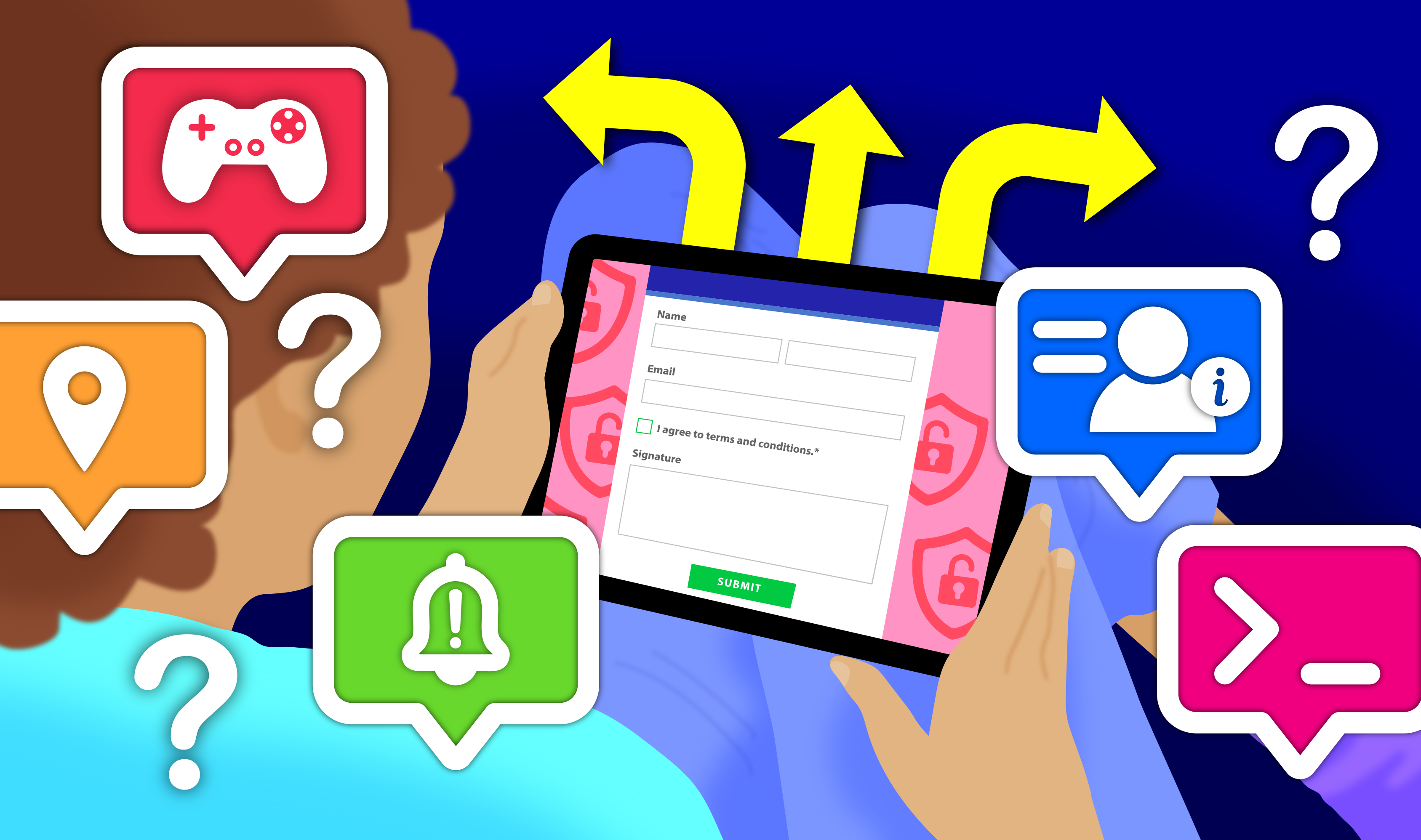
By the end of this lesson students will be able to explain how online tools, including AI applications and games, collect and use data, and make informed decisions before giving consent to data collection.
Retrieval: What kinds of information might be included in a privacy policy? Why do websites and apps provide one?
Learning hook: Explain that every time we use an online tool such as a learning platform, an AI assistant, or a game we leave a digital footprint. Privacy policies tell us what data is collected, how it’s used and who it’s shared with. Students learn to skim these sections to decide whether they want to agree.
Discuss: Ask students:
- What kinds of data do tools collect automatically, for example, browsing activity, device info, location, prompts typed into AI?
- Why might a game, learning tool or AI assistant collect different types of data?
- Which types of data feel ‘necessary’ and which feel ‘optional’? Reinforce that informed consent means understanding the benefits and risks before clicking ‘I agree’.
Task (compare two tools): In pairs, students compare short extracts from two privacy policies: one from a school-approved learning tool and one from an online game or AI tool. Students complete a quick table noting:
- what data each tool collects
- how the data is used
- whether it is shared with third parties
- what choices the user has
- which tool they would trust more and why.
Reflection: Ask, ‘Based on what you found, what’s one thing you think people should check before they click ‘I agree'?’
They will usually mention things like:
- what data is collected
- who it’s shared with
- whether it’s optional
- whether it feels safe.
Ideally students come away with the key message:
‘Before I agree to anything online, I should check what data is collected, how it’s used, and whether I’m comfortable with that.’
Evidence of learning
You might notice that students:
- explain how their behaviour contributes to their digital footprint, including data collected through browsing, app use, location settings or tracking tools
- manage their digital identity by adjusting privacy settings, reviewing connections, curating posts and considering how they are perceived online
- assess the benefits and risks of an online tool’s privacy policy before giving consent and justify their decision
- make selective, informed choices about what data they share and with whom
- self regulate their digital habits by setting boundaries, monitoring usage patterns and choosing behaviours that support their wellbeing
- identify design features intended to capture attention (for example, notifications, infinite scroll, streaks, personalised feeds) and explain how these influence behaviour
- apply safe, legal and ethical decision making across social, academic and recreational online contexts.
Common misconceptions or errors to watch for
- Assuming anonymity guarantees safety or freedom from consequences, and not recognising that anonymous activity can still be traced, logged, monitored or escalated, and may increase the risk of misuse, harm or exploitation
- Believing passive data collection is harmless or insignificant, and not recognising how browsing behaviour, metadata, cookies, location data and app tracking are aggregated to build detailed profiles used for targeting, recommendations or manipulation
- Treating privacy policies as something to ignore and not recognising that platforms differ in how they collect, use and share data, or that users may have some choices and controls
- Believing that work can be reused or modified without permission as long as it is for school purposes
- Thinking that curating a digital identity only involves deleting old or embarrassing posts, rather than proactively managing privacy settings, connections, group participation, content choices and how they are consistently perceived across platforms
- Underestimating how persuasive design features influence behaviour, believing they are ‘not affected’ or can easily self‑control their use, without recognising cumulative effects on attention, mood, time use and wellbeing.
| Processes and production skills Privacy and security |
|---|
Develop cyber security threat models, and explore a software, user or software supply chain vulnerability (AC9TDI10P13)
Apply the Australian Privacy Principles to critique and manage the digital footprint that existing systems and student solutions collect (AC9TDI10P14)
|
| Knowledge and understanding Collaborating and managing |
|---|
Use simple project management tools to plan and manage individual and collaborative agile projects, accounting for risks and responsibilities (AC9TDI10P12)
|
Plan your teaching
Explore sample units and lessons.
These sample units show how digital citizenship can be taught as a short sequence or extended unit at each year level.
Foundation: Using digital systems safely
Years 1–2: Using digital systems safely
Years 3–4: Digital systems, safety and security
Years 5–6: Digital systems, safety and security and Collaborative project
Years 7–8: Hardware, networks and cyber threats and Collaborative data project
Years 9–10: Cybersecurity
Use this planning template(DOCX) (opens in a new window) to record relevant information as you view a scope and sequence topic for your year level.
Research-informed teaching
Evidence-based approaches
- Roleplay and scenario‑based practice
- Gamified storytelling and interactive quests
- Analysis of curated examples (good vs poor choices)
- Guided discussions with structured prompts
Roleplay and scenario‑based practice
Research from social–emotional learning and media‑literacy studies shows that rehearsing responses in realistic scenarios helps students build the decision‑making, empathy, and help‑seeking skills needed for safe and respectful online behaviour.
What this looks like in practice
- Use short, realistic scenarios that mirror situations students may face online, for example, receiving an unkind message, being asked for personal information, seeing something confusing.
- Assign simple roles (sender, receiver, bystander, helper) and let students rehearse safe, respectful responses.
- Pause and discuss the decision points: what the student noticed, what felt unsafe, what options they had.
- Model and practise help seeking by including a ‘trusted adult’ role in scenarios
- Keep scenarios low stakes and concrete, focusing on one behaviour at a time, for example, saying no, asking before sharing, responding kindly.
Example:
Students participate in a ‘Choose your path’ roleplay. The teacher presents an online scenario that has multiple options, such as a classmate posts a photo that includes another student without asking. At each decision point, students physically move to different parts of the room to represent possible responses for example, ask them to delete it, ignore it, share it further. Volunteers act out the chosen path, showing what happens next. The class reflects on which choices kept people safe and respected, and why.
Gamified storytelling and interactive quests
Based on a synthesis of research in gamification, multimedia learning, social–emotional learning (SEL) and socio‑constructivist theory, this approach uses interactive storytelling and game‑based challenges to build engagement, motivation and empathy. Research shows that gamified environments with immediate feedback, scaffolded missions and relatable digital dilemmas help students practise positive online behaviours in a safe, immersive space that mirrors the digital environments they already use.
What this looks like in practice
- Students work through short, interactive missions that present online dilemmas through animated stories, comics, or videos.
- Each mission is broken into small, achievable steps with clear goals, progress indicators and immediate feedback, such as badges, points, character cards.
- Students make choices in branching scenarios and see the consequences play out in a safe game like environment that mirrors real digital spaces.
- Multimedia elements (animation, audio, interactive slides) reinforce key ideas and values across different contexts to support transfer.
- Quick reflection tasks (quizzes, stickers, short prompts) help students consolidate learning and notice how their decisions affect outcomes.
- Teachers run brief check ins or small group discussions to connect in game decisions to real world online behaviour, supporting meaning making and SEL.
Example
Provide students access to the eSafety Commissioner’s web‑based game Robo Raven and the Ancient Relics. Students play short, interactive levels where they complete online‑safety challenges linked to topics such as digital footprints, respectful online relationships, body clues, cyberbullying, and critical thinking. The game uses animated storytelling, choice‑based challenges, and immediate feedback (badges, progress indicators).
Analysis of curated examples (good vs poor choices)
Media‑literacy focused research shows that comparing contrasting examples of online behaviour or content helps students recognise the features of safe, respectful and trustworthy choices, and understand the consequences before they face real situations.
What this looks like in practice
- Provide two short, contrasting examples to compare.
- Ask students to highlight or annotate the differences, focusing on what makes one example safer, more respectful or more trustworthy.
- Guide students to identify the decision points: what the user shared, what information was collected, or how someone responded.
- Discuss the potential consequences of each example and which option they would choose and why.
- Support students to rewrite or improve the ‘poor choice’ example, or explain why it should be avoided, so they can describe what makes the safer or more respectful option better.
- Connect the patterns they notice to real online situations they may encounter, reinforcing how these cues help them make informed choices.
Example
Students compare two short extracts from privacy policies: one from a school‑approved learning tool and one from an online game or AI assistant. Working in pairs, they highlight differences in what data each tool collects, how that data is used and whether it is shared with third parties. Students complete a simple comparison table, identify which tool they would trust more and why, and discuss what someone should check before clicking ‘I agree.’
Guided discussions with structured prompts
Research from social–emotional learning and dialogic teaching shows that using structured prompts to guide short discussions helps students articulate their feelings, boundaries and reasoning, building the language and confidence they need to make safe and respectful choices online.
What this looks like in practice
- Use a short, targeted prompt to anchor the discussion on a single idea, such as 'What’s the problem here or 'How could you respond safely?'
- Students talk through the situation using prompts.
- Encourage students to explain their reasoning, not just give an answer, so they practise the language of safe and respectful choices.
- Model how to disagree respectfully and how to build on others’ ideas using sentence starters.
- Pause discussions at key decision points to highlight feelings, boundaries and options.
- Keep contributions short and structured, so all students can participate, including those who need more support.
- Connect the discussion back to real online situations students may face, reinforcing how these phrases and strategies help them respond safely.
Example
Students read a short online scenario together, for example, a message asking them to share a photo or a friend posting something without permission. Use structured prompts such as ‘What did you notice? How might someone feel in this situation?’ and ‘What would be a safe response?’ Students discuss the scenario without acting it out. The teacher records key ideas or phrases students suggest, helping them build a bank of language they can use in real online situations.
Check understanding
Digital Literacy is a general capability that includes digital citizenship. While it supports learning across the curriculum, schools are not required to formally assess it or report on it separately.
Teachers may still gather informal evidence of digital citizenship learning when it supports their Digital Technologies teaching, for example, when students demonstrate safe, respectful and responsible participation while using digital tools.
Evidence can be observed through how students participate in digital tasks including:
- using safe and respectful communication
- managing personal information appropriately
- following class agreements for online spaces
- recognising when to seek help
- applying consent before sharing
- using reporting or help seeking routines
- making informed choices about what to click, share or trust.
These observations can help teachers understand how confidently students practise digital safety and wellbeing while engaging with digital tools.
Deepen your understanding
Explore these resources to provide further background about digital citizenship
- The Curriculum connection: Online safety (opens external website in a new window) - key aspects, structure, considerations
- Digital Citizenship Curriculum (opens external website in a new window) - topics and resources
- Digital Intelligence (DQ) (opens external website in a new window) - framework and methodology for teaching
- Digital Citizenship and Safety Course (opens external website in a new window) - create safe and positive experiences online
Supporting resources
These posters include key ideas from the privacy and security core concept, along with related digital citizenship behaviours, as students often use these concepts together when practising safe and responsible online behaviour.