AR/VR and emerging technologies
AR/VR
Virtual reality
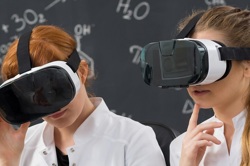
Virtual reality (VR) is a 3D computer-generated environment which can be a highly imaginative, or a realistic, simulation of the actual world. Depending on the VR environment, people can interact through first-person (through their own eyes or the eyes of a character) or through third person (disembodied) perspectives, or they can switch between the two.
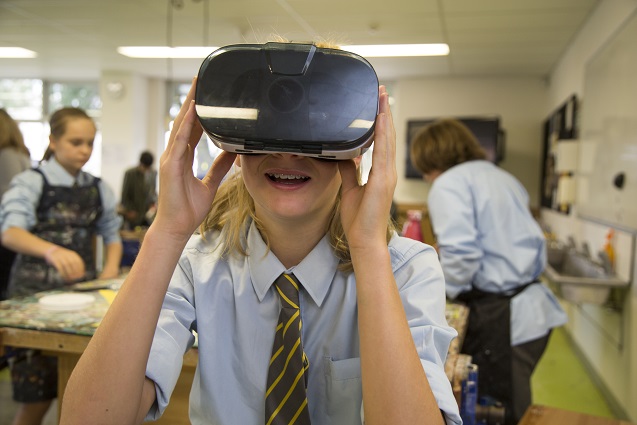
VR can be delivered via a desktop computer, mobile computing device or with a head-mounted display (HMD), which can be a headset or goggles.
Safety
Teachers need to consider the safe use of VR with students. As a first step, teachers should consult and follow manufacturers’ guidelines.
Augmented reality
Augmented reality (AR) allows computer-generated information and virtual objects to be overlayed on physical object in real time. AR is a relatively young technology in terms of mass adoption. AR can be delivered by via desktop computers, projector systems, mobile devices, such as smart phones and tablets, and head mounted displays (headsets, goggles or glasses). The most common type of AR is that delivered through mobile devices such as tablets and smart phones.
Further information
- Before purchasing any VR equipment, view this blog (opens external website in a new window) , developed by A/Prof Erica Southgate, which provides insights into immersive virtual reality in classrooms.
- The infographic The power of virtual reality for education (opens external website in a new window) suggests how VR can be used to engage students and promote deep learning.
- Use the infographics (opens external website in a new window) on AR and VR with your students or print them and use them as posters.
- Check out this latest research Virtual and Augmented Reality and School Education (opens external website in a new window) .
- The Callaghan College VR School Project (opens in a new window) was a two-year collaboration between Callaghan College and The University of Newcastle, focusing on integrating virtual reality (VR) into classroom learning.
Emerging technologies
Tech trends and challenges: (opens external website in a new window) To ensure eSafety’s content and programs reflect current information, technological developments and global trends, we continually scan for new research, policy, legislative and technical updates. We have captured eSafety's approach to selected tech trends and challenges in these position statements. This page is updated periodically. Various emerging issues are also discussed in our blog posts (opens external website in a new window) .
New technologies risk-assessment tool: (opens external website in a new window) This risk-assessment tool can help schools to effectively plan and assess risks and benefits before introducing any new online platforms or technologies. Additional research about the platform or technology is recommended if you are unsure of the answer to one or more of the questions.
Lending library
Australian teachers can access a national lending library (opens external website in a new window) to play with, and learn about the range of AR and VR kits available, before committing to purchasing any tech.
DISCLAIMER: PRODUCTS ON DT HUB
In this section we highlight features of common technologies used in schools. However, any references to any specific product, process or service is for information only and does not constitute an endorsement or recommendation.
Virtual Reality (VR)
Class VR
Click to learn moreClass VR
Suggested Year Bands: Years 7-8, Years 9-10

Images credit: © Class VR
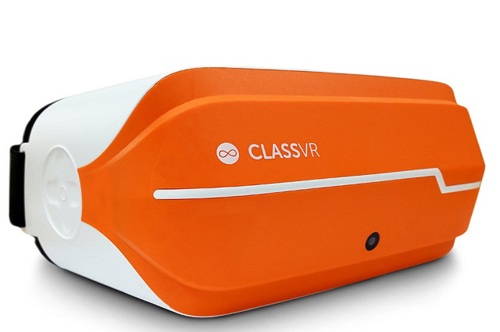
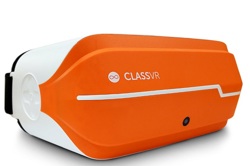
Class VR (opens external website in a new window) is a stand alone headset that has a full VR experience within the headset meaning there is no need for smartphones or devices. Class VR also comes with classroom management for lesson distributions.
Associated apps or software
Lesson ideas and resources
Meta Quest
Click to learn moreMeta Quest
Suggested Year Bands: Years 7-8, Years 9-10

Meta Quest (opens external website in a new window) is a line of virtual reality headsets that replaced the discontinued Oculus Rift.
Associated apps or software
Lesson ideas and resources
- There are no lesson ideas and resources associated with this product on the Hub.
CoSpaces Edu
Click to learn moreCoSpaces Edu
Suggested Year Bands: Years 3-6

Images credit: © cospaces
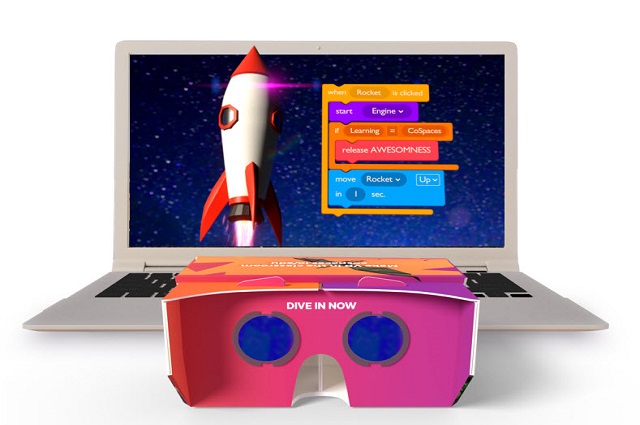
CoSpaces Edu (opens external website in a new window) is a creative platform that enables students to create environments that use the visual medium of virtual reality. The intuitive platform allows students to build their own 3D creations, animate them using CoBlocks visual programming or JavaScript and TypeScript.
Note that CoSpaces requires a teacher login to create a class for students. A free version is available which provides reduced functionality.
Associated apps or software
Vortals
Click to learn moreVortals
Suggested Year Bands: Years 5-10

Images credit: © Vortals
Vortals (opens external website in a new window) is a mixed reality (2D, 3D, augmented reality and virtual reality) design and presentation system. It allows students to simply create powerful interactive experiences on a PC or mac (without headsets attached) and to view back on mobile devices or PC connected devices such as Oculus rift or HTC vive.
Vortals is available on a site license basis. A license for all campus and all student home use, costs approximately $2000 per year.
Associated apps or software
Lesson ideas and resources
- There are no lesson ideas and resources associated with this product on the Hub.
Augmented Reality (AR)
Merge Cub
Click to learn moreMerge Cub
Suggested Year Bands: Years 5-10

Merge Cubes (opens external website in a new window) enable students to explore, play and problem solve with Augmented Reality.
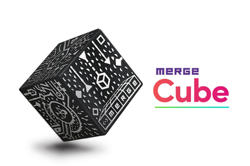
What is a Merge Cube? The Merge Cube is a spongy, dense black foam cube with silver markings on all six sides in patterns similar to QR codes. The patterns provide an Augmented Reality trigger that launches when any of the Merge apps are pointed at the cube. It provides a powerful interactive experience in a real world environment where an object (the cube) is enhanced by a 3D digital-generated image that comes to life by using the camera on a digital device.
Note schools require a subscription to access Merge Cube resources. A free trial (opens external website in a new window) is available for schools.
Associated apps or software
- View this Getting started article (opens external website in a new window) which contains device-specific apps for download.
Lesson ideas and resources
- Merge Cube Magic (opens external website in a new window)
- Lost in Space (opens external website in a new window)
- Journey to the Centre of the Earth (opens external website in a new window)
- What's Inside my Body! (opens external website in a new window)
- What's that Matter! (opens external website in a new window)
- Food Web Ecosystem (opens external website in a new window)
- Plant Magic (opens external website in a new window)
- Raindrops (opens external website in a new window)
- Rocky Roads (opens external website in a new window)